OPS OS / CASE FILE
v.1   ·   LIVE IN PRODUCTION
Case file 01 / operating layer

Ops   OS.

An AI operating layer rolling out across an 18-person ag tech startup. Runs the ops work staff used to eat whole days on, so the team can take on more projects, stay compliant, and grow without adding headcount.

Scroll
Proof

On GitHub.

All of my work is built for production or can't be shared due to IP issues, this project included. But here are the receipts showing that I am active and have this project in my git.
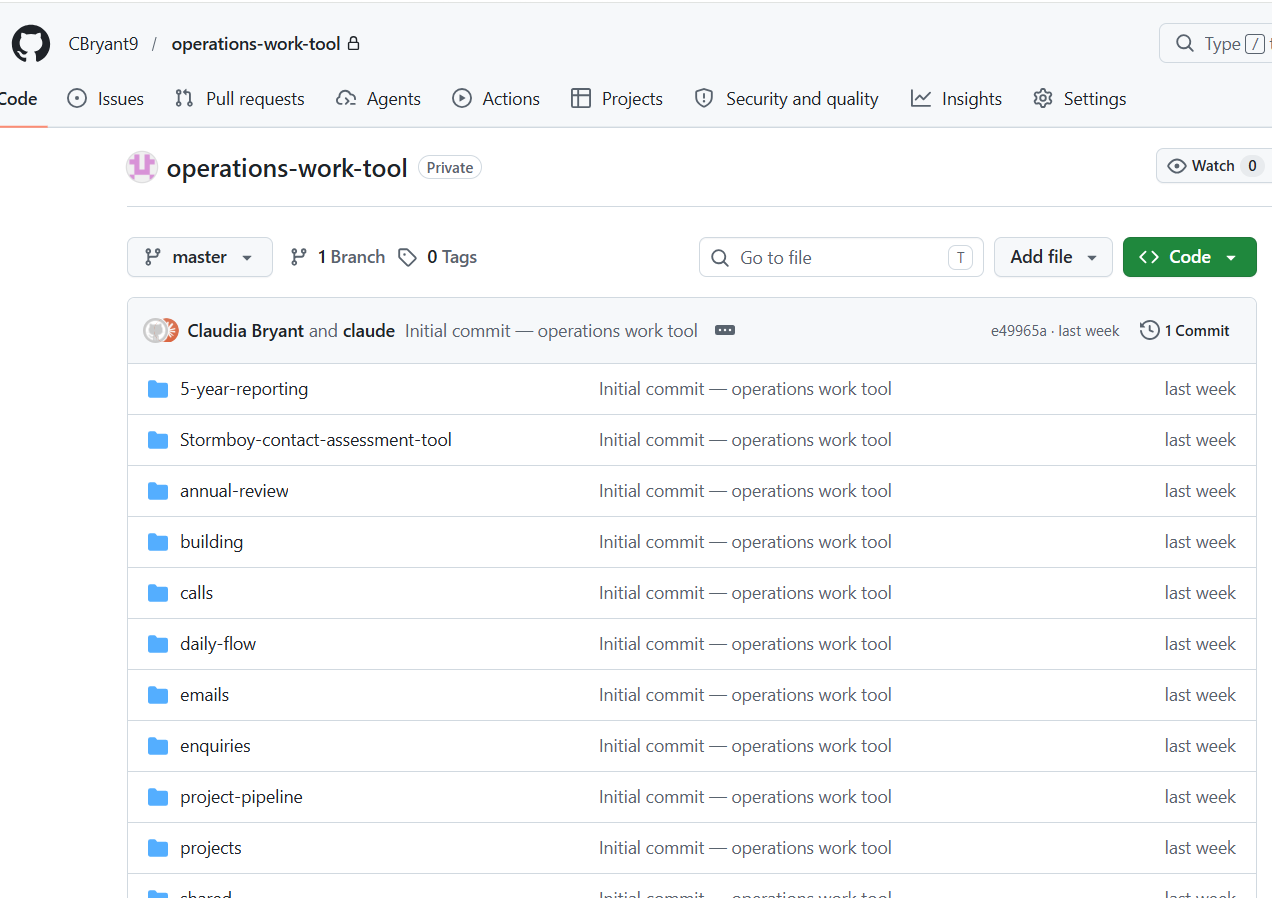
GitHub repo - CBryant9 / operations-work-tool
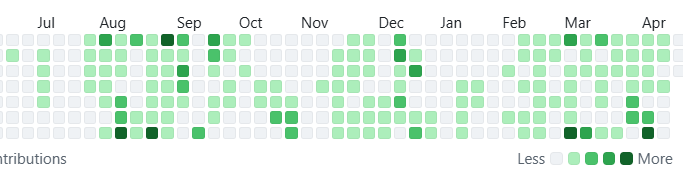
GitHub contribution activity chart
1,083 contributions to 20 repos in the last year
02 The Business

The business.

Lots of Admin. Not Enough Staff. Budget Constraints.

03 The System

A layer above the tools the team already uses.

Reducing the admin burden so staff can focus on things that drive the business forwards.

Team members trigger agents in natural language. Each agent runs the set procedure, hits the integrations, and writes outputs back to the source of truth. Human-in-loop on anything that touches a customer.

Existing infrastructure. New way of working. Ops OS runs on top of the team's existing stack. No new platforms to learn. No migrations. Levels up how they work, without a steep learning curve.

04 The Stack

Core Elements.

Custom Operations App
AWS-hosted custom operations application that stores all the business data, runs the technical work, and provides a custom interface.
Claude Code
The interface to the agents. Every staff member interacts with Ops OS through Claude Code, making requests in natural language.
MCPs / APIs
Connected to the team's main tools: HubSpot, Confluence, and the Microsoft 365 suite. Agents read and write directly.
Context Design
Intentional and purpose-built context design to fetch context at the right times, save tokens, and reduce hallucinations.
05 The Orchestration

Interpretable Context Methodology.

Interpretable Context Methodology (ICM) is a highly effective, low-code approach to AI agent orchestration that favours simple, file-based structures over complex agent frameworks.

The benefits of this build style
  • Token and context efficient
  • Produces high quality outputs due to curated context
  • Folder based - easy to share, move, and build upon
  • Model agnostic - runs on any LLM. Swap models without rebuilding
  • Low-code simplicity - easy to audit, improve, and understand
  • Scales with you - simple, but scales for complex use cases
ops-os/
├── CLAUDE.md                    ← Layer 1 · Instructions
├── workspaces/
│   ├── annual-review/         ← Layer 2 · Workspaces
│   │   ├── CONTEXT.md
│   │   ├── skills/             ← Layer 3 · Tools
│   │   └── tools/
│   ├── lead-assessment/
│   │   ├── CONTEXT.md
│   │   └── skills/
│   └── calls/
│       ├── CONTEXT.md
│       └── skills/
└── shared/                    ← Layer 4 · Shared knowledge
    ├── business-context.md
    ├── knowledge-map.md
    ├── user-preferences.md
    └── references/
06 Shared Knowledge

Shared knowledge.

One layer every agent can reach into. Everyone works on the same context.

Knowledge map
The business's institutional knowledge indexed for any agent to pull from.
SharePoint map
Folder structure mapped so agents know where to read and where to file.
User preferences
Each team member's style, priorities, and working context isolated per person.
Business context
Who we are, what we sell, compliance constraints, industry conventions.
General rules
Shared safety boundaries and operating principles every agent respects.
Changes log
Living record of what changed, why, and which agent or user made the call.
07 Multi-user by Design
Multi-user by design

One core library. Five users. No forks.

Every agent procedure lives in core/skills/, shared across the whole team. Every user's personal work state lives in users/[name]/, isolated.

At session start, the agent runs get_user_details against HubSpot, identifies the active team member, and loads their queue and preferences before anything else.

Ship a skill improvement once. Everyone benefits. Personal queues stay personal. Zero version drift.

user 01 queue.md user 02 queue.md user 03 queue.md user 04 queue.md user 05 queue.md core skill library
08 Tools

The tools it talks to.

HubSpot
The CRM. Every contact, deal, ticket, and custom property across 20 pipelines. Agents read and write directly to keep the source of truth current.
search_crm_objects() get_crm_objects() update_crm_object()
Confluence
The knowledge base. Team documentation, procedures, and shared context. Agents read from it for business knowledge and write back to keep it current.
confluence.getPage() confluence.search() confluence.createPage()
Microsoft 365
Full-suite access including SharePoint files, Outlook email, Teams chat, and Word / Excel / PowerPoint documents. One integration, every Microsoft tool the team uses.
outlook.list_messages() sharepoint.createFolder() teams.postMessage() excel.updateSheet()

A scalable, token-efficient system, continuously built on over time.

What it does

Annual reviews.

Reduced admin burden. Every project, every year.

Admin time per month Before Now Saved
Determining what needs reviewing 3 hrs 5 min −2.9 hrs
Creating reports 6 hrs 30 min −5.5 hrs
Filing & data entry 6 hrs 30 min −5.5 hrs
Sending emails 4 hrs 15 min −3.75 hrs
Live typing during calls (30 min × 30) 15 hrs 0 min −15 hrs
Admin after calls (48 min × 30 → 45 min total) 24 hrs 45 min −23.25 hrs
Total admin / month ~58 hrs ~2 hrs −56 hrs
What it does

Lead research.

How the agent took over the weekly lead pipeline so the team can stop researching and start calling.

Before
  1. Scrape leads from the target area.
  2. Get back minimal info: a farm name, an address, maybe a phone number.
  3. Manually research each lead to find contact details and judge quality.
  4. Work gets spread across 5 people (only 1 dedicated sales team member), including busy execs like the General Manager and Ops Manager who don't really have time.
  5. Progress on outreach and sales is slow as people just don't have time to do it all.

25 leads each week → 4 hrs of research × 5 people fitting it in around other work = roughly 20 hours a week burned on research across the team.

Now
  1. Agent pulls the weekly list.
  2. Researches the web for each contact automatically.
  3. Leaves a structured note against the contact in HubSpot with what it found.
  4. Marks off required fields so the record is ready to work from.
  5. Team just jumps in and makes the calls. No more research detour.

Weekly list of 25 leads now takes ~20 minutes total and runs in the background. I do everyone's leads for them now, and sales momentum is picking up again.

What it does

Project pipeline.

How the agent keeps 595 projects visible, moving, and no one guessing at status.

Before
  1. The CRM was too complex for the team to adopt AI. 20 pipelines, over 1,000 custom properties, multi-step processes with different things to check at every stage. Staff constantly reminded the AI, re-explained context every session, and didn't trust it to edit records.
  2. Work was falling through the cracks. Each person juggling hundreds of tasks and tickets. To prioritise, they had to open every project, company and contact, piece together the story, and hope nothing urgent had been missed.
  3. Context was scattered across systems. Information split between HubSpot records and SharePoint folders. Even a quick check meant digging through a dozen places and cross-referencing them.

Time consumed by tedious admin. Often faster to just do it yourself than use the AI.

Now
  1. Claude knows the CRM cold. Understands which properties matter on which pipelines, accurately reads where every project and contact is up to, and doesn't need re-explaining each session. Trusted to do HubSpot admin, including in bulk.
  2. Nothing slips through the cracks. AI makes every task visible, identifies what needs doing in a sea of tasks and tickets, completes some of them for you, and creates visibility reports. Workload down. Compliance risk down.
  3. One place to ask. No more checking 12 SharePoint folders and cross-referencing them to 12 HubSpot records. The AI knows where to look and brings back exactly what you need.

The CRM has never been this tidy. Priorities are clear. Context is one question away. The team trusts the system and actually uses it.

What it does

Self improvement.

A weekly cycle that turns every session, every correction, and every suggestion into improvements that actually ship.

Ongoing
01
Data collection
As people work, their preferences and suggestions are captured automatically to inform what should improve next.
End of week
02
Weekly close out
Pulls all Claude local files, identifies what was done with AI, friction points hit during the week, and improvement suggestions logged by the team in Confluence.
Monday morning
03
Monday improvement flow
Takes the info from the previous week and proposes what should be improved and implemented. Reviews what was already fixed so nothing is duplicated.
Human-led
04
Improvements implemented
Done by a human using the recommendations from the week. Kept in human hands for visibility and to make sure it's done correctly given the compliance-based nature of the work.
What it does

Team time savers.

Small additions that save individual team members time in their day.

Inbox
01
Email drafting & logging
AI reads your emails, logs them to HubSpot for visibility, and drafts a reply grounded in your tone, the project's HubSpot record, and pre-made templates for different tasks.
SMS
02
Automated text messages
No more looking up contacts manually or maintaining lists. Just say "send this text to [person]" or "send this to everyone who fits [criteria]" and it's done. Every message tracked in HubSpot automatically.
Sales tools
03
Sales team tools
Custom tools built for the sales team to cut admin. Task tracker, contact lookup, follow-up notifications, and call transcript automations.
Ongoing
04
Continuously building
Based on the self-improvement flow and staff feedback, we're constantly building more pieces to reduce bottlenecks and give the team back more time.
In development · Active build

5-Year Project Manager.

The problem: 5-year project audits are legally required on every carbon project. Multi-step. Data-heavy. Involves chasing landholders, pulling bank statements, verifying compliance evidence, and reconciling paperwork across systems.

Under an ops team of five, these audits were slipping. Some projects overdue. Compliance exposure mounting.

09 Summary

A team of agents that replace the manual parts of the job.

Customer-facing ops

Customer Success

  • Annual reviews: auto-pulled, assessed, drafted and filed.
  • Daily email triage logged straight to HubSpot.
  • Customer enquiry routing with grounded reply drafts.
  • CRM ticket stages and properties kept current.
Results ~58 hrs/mo on reviews down to ~2. 40 min/day per person on email.
Sales & growth

Sales / Growth

  • Multi-source lead research: LinkedIn, web, HubSpot history.
  • Duplicate check and warm-intro detection before outreach.
  • Qualification scoring with written rationale per contact.
  • Auto follow-up task with next-action timing.
Results 20 hrs/week across the team. 25 leads now take 20 min total.
Deal & project management

Project Pipeline

  • Full HubSpot map of 20 pipelines kept accurate and live.
  • Every one of 595 projects: current stage, next action known.
  • Outstanding actions routed to the right person automatically.
  • Stuck deals surfaced with the specific blocker and suggested step.
Results No more 12-tab status hunts. Priority clarity for the whole team.
System maintenance

Self Improvement

  • Friction detection: watches where humans correct the agents.
  • Pattern learning across corrections to prioritise fixes.
  • Skill file proposals drafted for human review and approval.
  • Audit trail of every approved change with rationale.
Results Zero hours on system maintenance. Compounding improvements every week.
In development

5-Year Projects

  • Pulls each project record and flags missing 5-year audit data.
  • Chases landholders with drafted emails and scheduled follow-ups.
  • Coordinates bank documentation requests end-to-end.
  • Reconciles evidence, generates audit report, locks the project.
Results Compliance-critical audits no longer slipping. Full recovery of overdue projects.
Next level

Carbon Playbook

  • Years of project data, audit outcomes and landholder evidence sitting across HubSpot and SharePoint, finally usable.
  • A living roadmap: what's working, what's drifting, and which projects need intervention before they become a problem.
  • Evidence on tap for regulators, auditors, and investors. Not reconstructed after the fact.
  • Turns operational data into the thing every carbon business is judged on: proof.
Results The game-changer in a scrutinised industry. We can show the work, not just claim it.
Closing note

I built this on top of a full-time job. Imagine what happens when it is the job.

Ops OS · Case File 01 · 2026